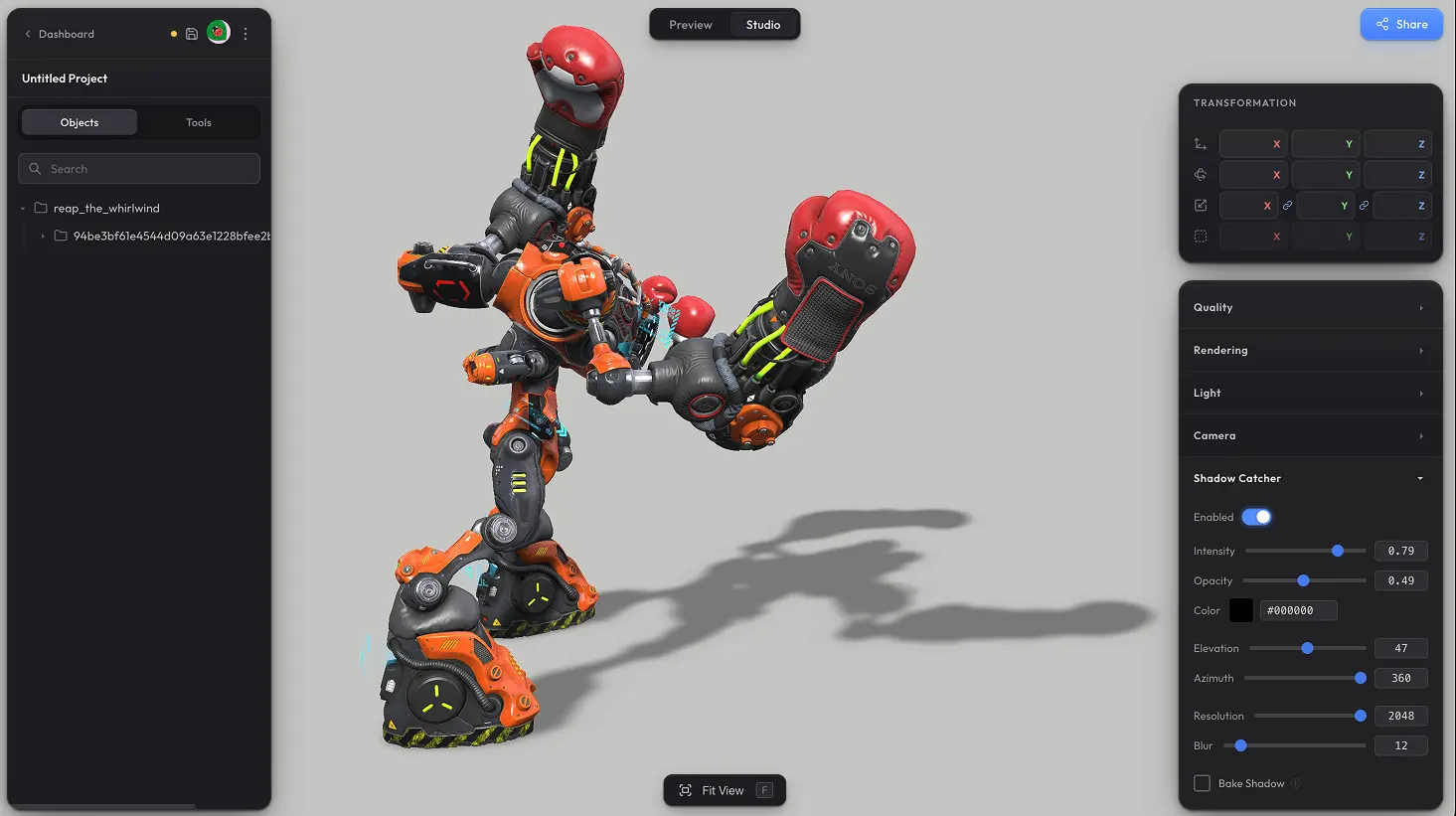
Shadow Catcher adds a soft shadow on the floor under your model. There is a full set of controls for shaping the shadow exactly the way you want — intensity, colour, blur, the angle of the simulated light, and more. And once you are happy with the look, you can bake the shadow into a texture — that way it does not need to be rendered in real time and has no impact on performance.
Settings #
- Intensity — overall strength of the shadow.
- Opacity — how solid the shadow is on the floor. Lower values give a translucent shadow.
- Color — colour of the shadow. Default is black, but tint it whatever you want for stylised looks.
- Elevation — vertical angle of the simulated light. Lower values stretch the shadow further out from the model (sunrise / sunset feel), higher values pull it tight under the model (midday).
- Azimuth — horizontal angle of the simulated light around the model. Use it to point the shadow in any direction.
- Resolution — sharpness of the shadow texture. Higher values give crisper edges at the cost of more memory.
- Blur — softness of the shadow edges. Higher values give a softer, more diffused look.
Bake Shadow #
By default the shadow re-renders whenever the model or settings change. Switching on Bake Shadow pre-renders the shadow into a texture for better performance — useful when the model and lighting are static. After tweaking any shadow setting, re-bake to see the new result.
Need something custom? #
Need more control over the shadow, additional shadow features, or anything else beyond what is here? Drop us a line at hello@trice3d.com or join our Discord and tell us what you would like to see added.