Adaptive configurators in minutes
Material swatches, object variants, camera buttons, day and night switches. A responsive HTML interface that works on desktop and mobile, wired to the scene. Change your mind, ask again, and it is rebuilt.
The easiest way to work with 3D. You do the creative part, AI does the busywork.
Popular 3D formats, plus images and vector graphics.
3D
2D
Paste one line into any site builder or send a link.
Making a beautiful 3D scene by hand is the fun part. Building the interface, interactions and animations around it is a chore. Let AI build it all for you in minutes.
Material swatches, object variants, camera buttons, day and night switches. A responsive HTML interface that works on desktop and mobile, wired to the scene. Change your mind, ask again, and it is rebuilt.
The AI takes its own screenshots and renders material spheres to use as swatches, so previews match the real materials.
Interfaces are built in a separate UI mode. Add your own icons, images and design elements, and the AI uses them, so it looks like your brand.
The AI can also control scene parameters and create simple animations. We keep adding tools and parameters it can use, so what is possible grows with every release.
Ask for a walkthrough of your product. The AI sets up camera views, highlights the parts that matter and adds a short description for each, so a click on a button tells the story.
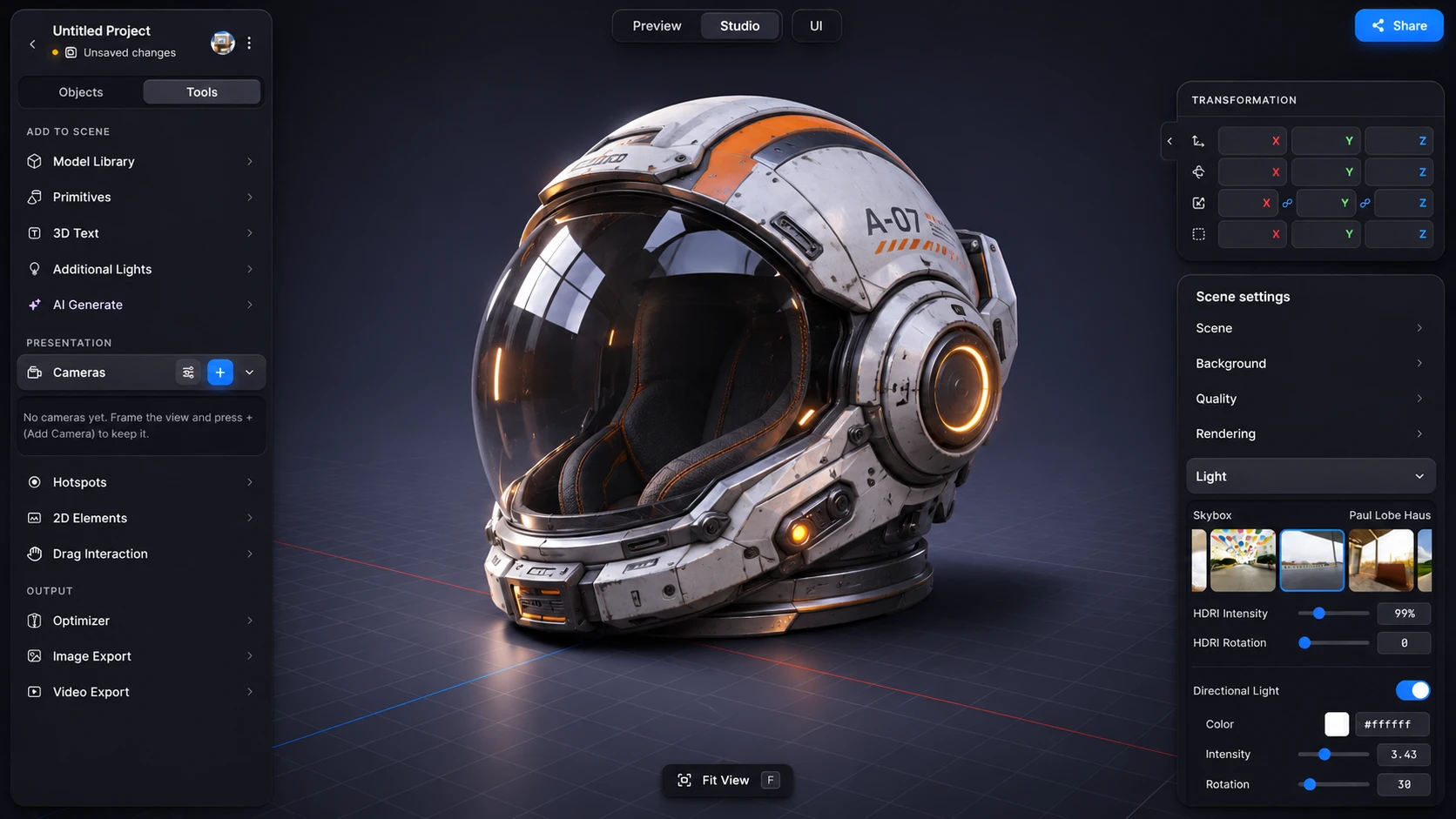
Drop a model in — it already looks like a studio render. HDR environment lighting, PBR materials, SSAO, bloom, and 25× supersampling kick in automatically. When the camera stops, the image refines to offline-render clarity. Move the camera — instant realtime again.
Load multiple models into one scene, position them with transform gizmos, set up camera tours, add hotspots with guided walkthroughs, create material and object variants. Then share it all with a single link — or embed it anywhere.
Models are automatically compressed with meshopt on import — smaller files, faster loads, same visual quality. The engine renders only when something changes and sleeps at 0% GPU when idle. Complex scenes stay smooth on laptops and phones alike.
We focus on what matters — easy scene setup, fast results,
no unnecessary complexity.
And a lot more...
New features ship every week.
See all features →
Fast, efficient, and built to run smoothly on any device.
WebGPU delivers faster rendering, better GPU utilization, and higher visual fidelity compared to WebGL. Older devices fall back to WebGL2 automatically.
The engine only draws frames when something changes. At rest — zero GPU usage, zero power drain. You can put multiple embeds on one page without any performance hit.
Industry-standard meshopt and Draco compression, vertex deduplication, and smart texture transcoding. Files typically shrink 50–80% with no visible quality loss. Pro adds GPU-native KTX2 texture compression, cutting video memory dramatically on complex scenes.
Real-time FPS monitoring with automatic resolution scaling. If the device can't keep up — quality drops to keep interaction smooth. Even at lower settings, scenes still look great.
Textures load in low resolution first — the scene appears instantly. Full-quality textures swap in one by one in the background. No loading screens, no waiting.
Every model goes through a multi-stage optimization pipeline — from automatic compression on import to one-click mesh merging.
Runs silently on every import. No buttons, no settings — your model is already optimized before you see it.
Full geometry and texture pipeline runs entirely in your browser — nothing leaves your machine.
Cloud pipeline with native C++ processing. Higher quality compression than what a browser can achieve.
Merges all objects that share the same material into a single mesh. Scenes with thousands of tiny parts become a handful of draw calls.
Trice gives you both — automatically.
Free, no card, no registration.