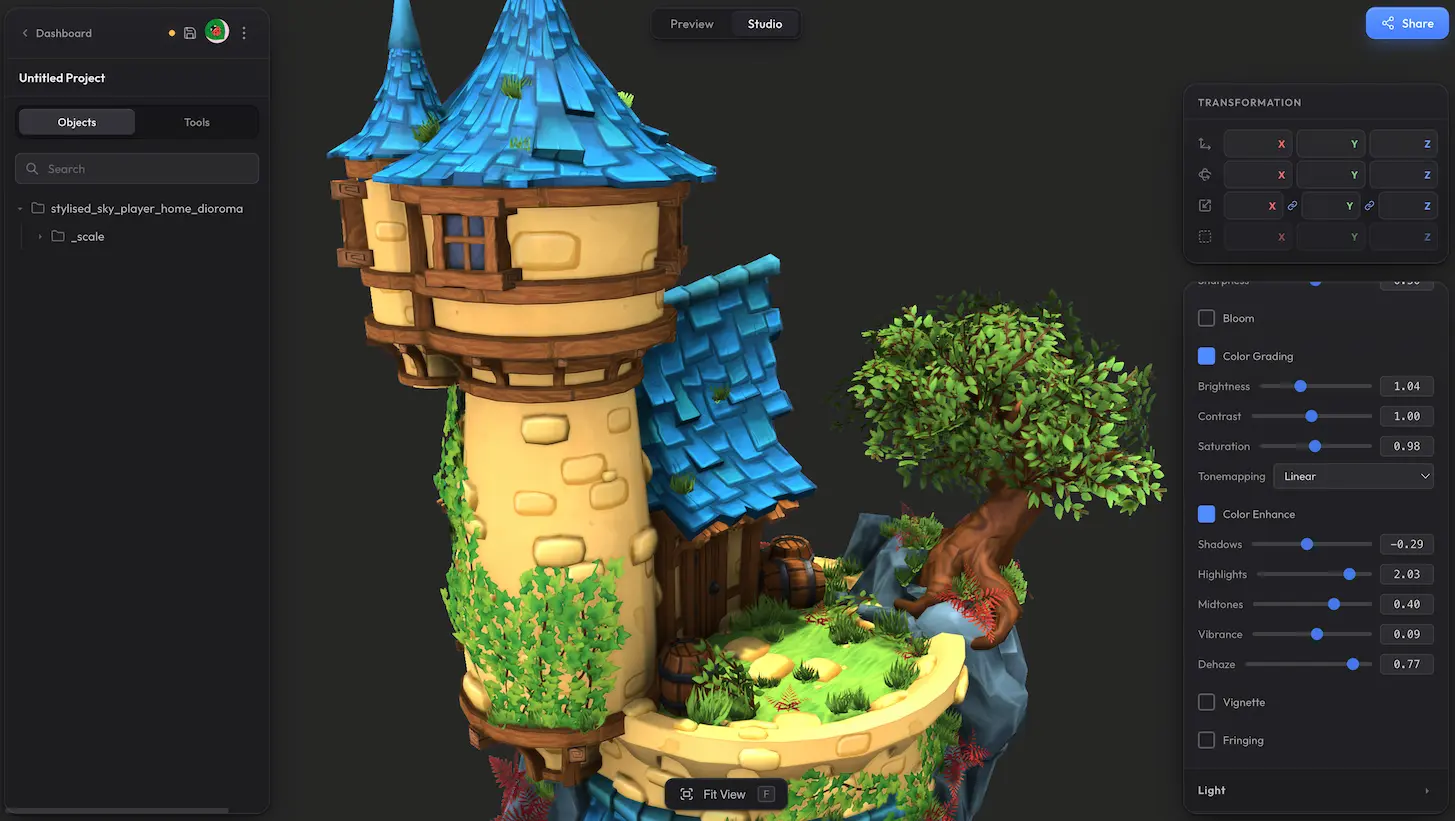
Color Grading and Color Enhance are two related effects in the post-processing panel. Both let you adjust the overall look of your scene without touching individual materials. Color Grading covers the basics — brightness, contrast, saturation. Color Enhance adds finer control with separate shadow, highlight, and midtone adjustments, plus vibrance for smart saturation and dehaze for clearing or adding atmospheric haze.
Color Grading #
Simple sliders for quick global adjustments.
- Brightness — overall lightness of the scene.
- Contrast — spread between the darkest and brightest areas of the scene.
- Saturation — intensity of the colours. Lower for muted tones, higher for punchier colours.
- Tonemapping — converts the high-dynamic-range colours the renderer produces into what your screen can actually display. Different curves give the scene different overall looks — flatter, more contrasty, more cinematic — so you can pick whichever matches the feel you want.
Color Enhance #
Finer-grained control over different parts of the tonal range and the colour itself.
- Shadows — lifts or deepens the darkest areas of the scene.
- Highlights — pulls the brightest areas down or pushes them up.
- Midtones — adjusts the in-between range without affecting shadows or highlights.
- Vibrance — smart saturation that boosts duller colours more than already-saturated ones, so things like skin tones do not turn cartoonish.
- Dehaze — pulls atmospheric haze out of the scene (positive values) or adds a hazy, dreamy look (negative values).
Need more control? #
Want finer control over the colour adjustments, or missing a setting that should be here? Drop us a line at hello@trice3d.com or join our Discord and tell us what you would like to see added.