Connect your AI
to your 3D scene.
The Trice MCP server links Claude, ChatGPT or Cursor to the scene open in your Studio. Connect in a minute, describe what you need in plain words, and watch AI build the interface, interactions and animations right in your project.
- Free on every account
- Light on tokens (every operation is well optimized)
- Works great even on the cheapest model
 Claude
 ChatGPT
 Cursor and any other AI app that supports MCP
What the AI can do today
Over a hundred tools cover the Studio, and the list grows every release.
Not sure what you want to make? Ask the AI what it can do with your scene.
Interface
Interactions
Animations
Scene
How it works
You chat, AI does the work, you check the result.
Open your project
Sign in to Trice Studio, open a project and keep the tab open.
Requires a Trice account. Guest mode won’t work.
Connect your AI
Add Trice to Claude or ChatGPT.
Chat with AI
Ask for interfaces, interactions and animations. Not sure where to start? Ask what it can do.
Connect in a minute
Add the Trice MCP server as a plugin to Claude, ChatGPT or any other AI app that supports MCP. Set it up once and it stays connected.
https://mcp.trice3d.com/mcp-
Find Trice 3D in Plugins
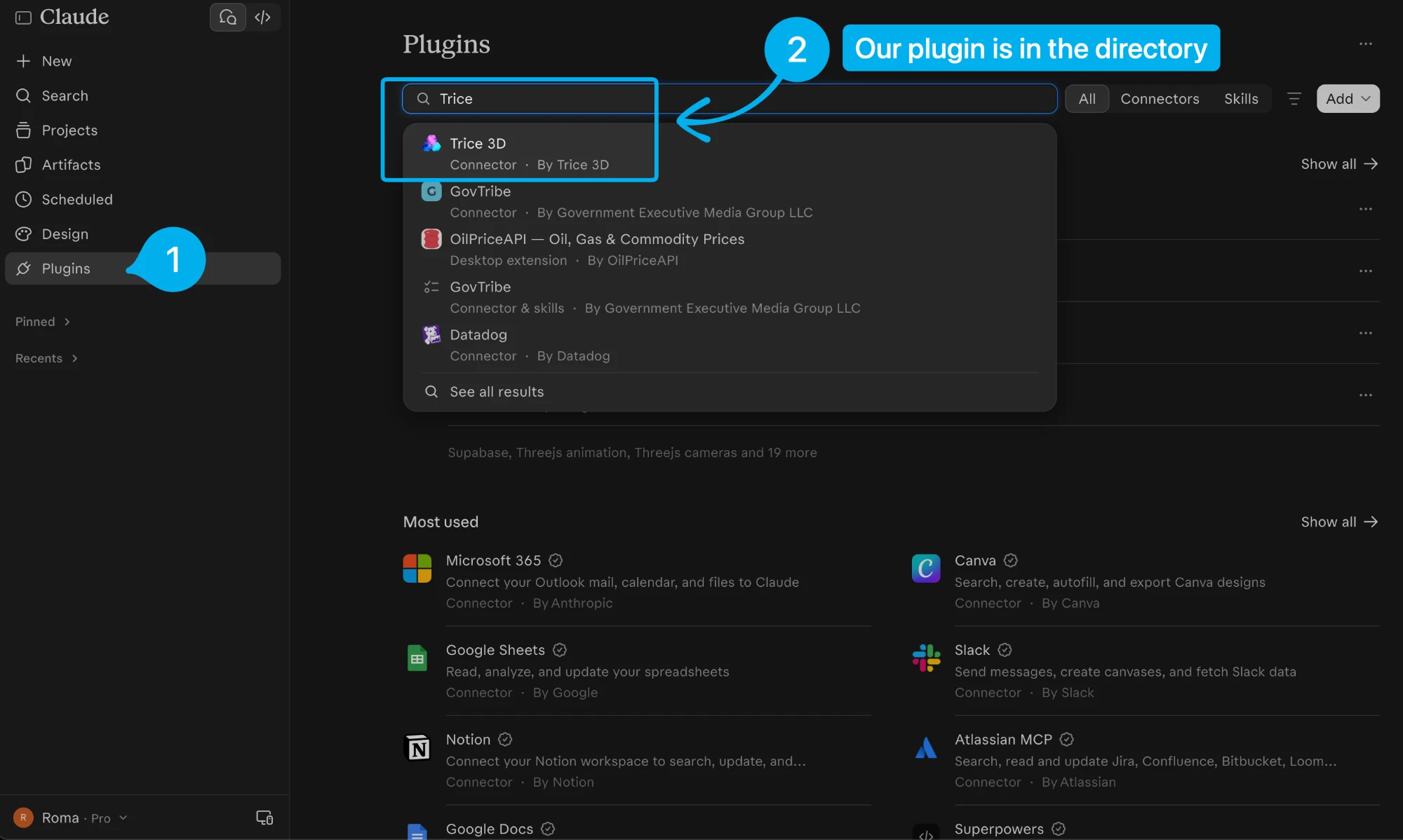
In Claude (the website or the desktop app), open Plugins in the sidebar, search for Trice and choose Trice 3D.
-
Press Add
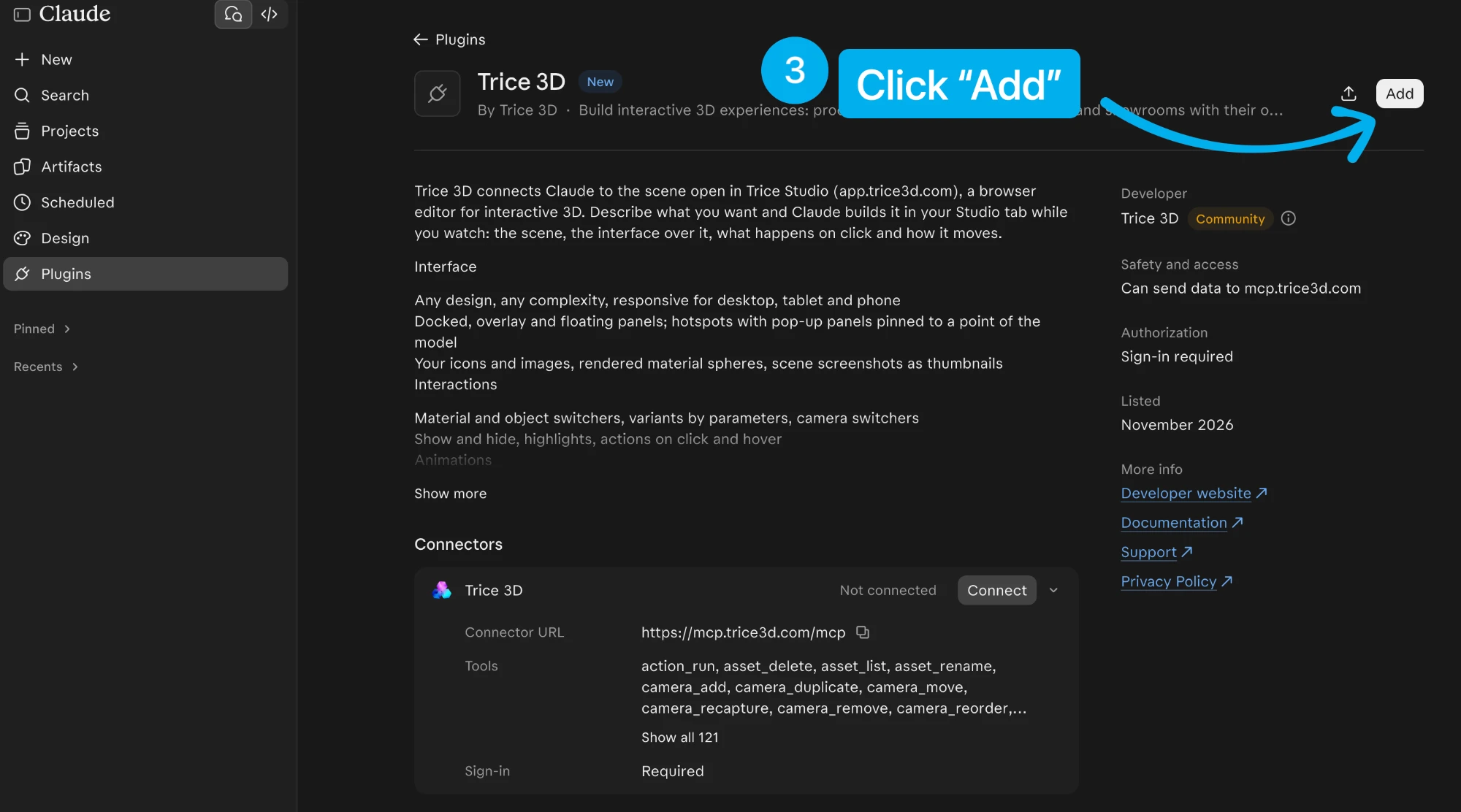
On the Trice 3D page, press Add in the top right corner.
-
Allow access
Sign in to Trice if asked, then press Allow.
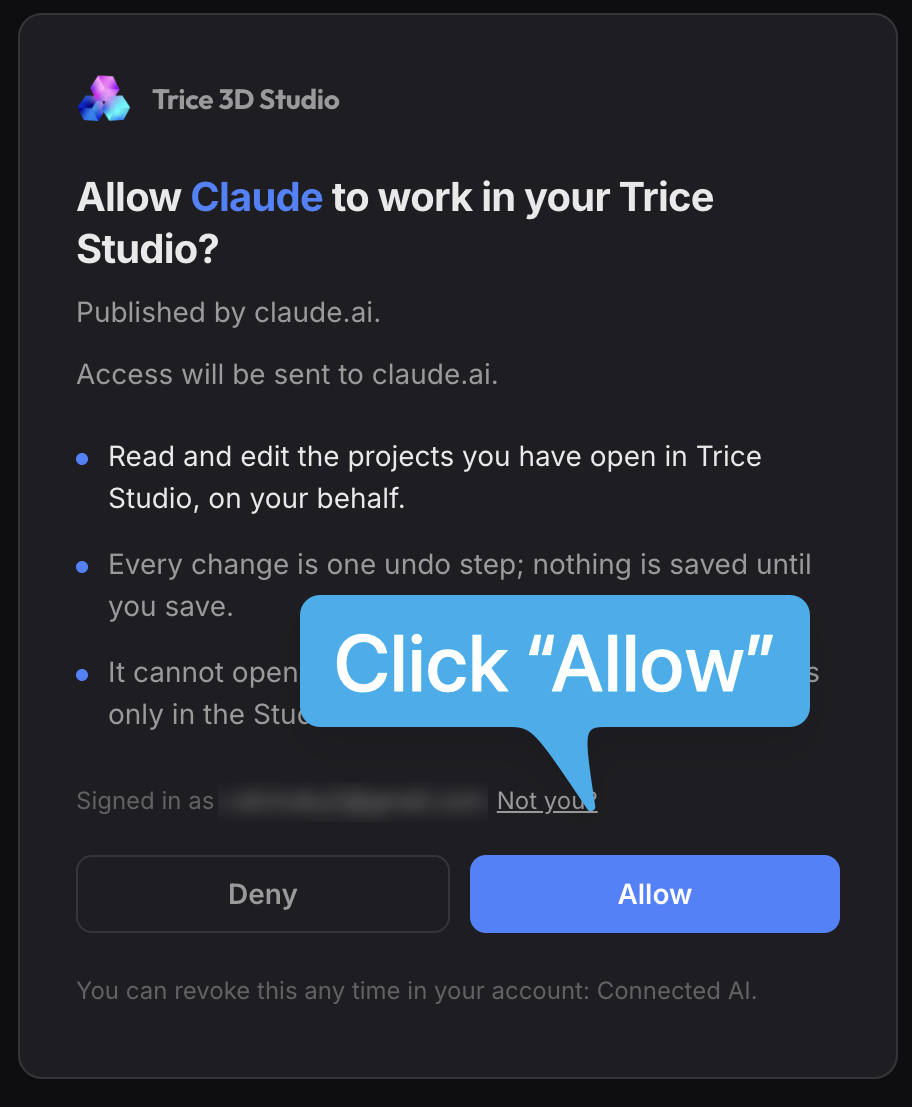
Done. Claude can now work with the Trice projects you have open in your browser.
-
Add a custom MCP server
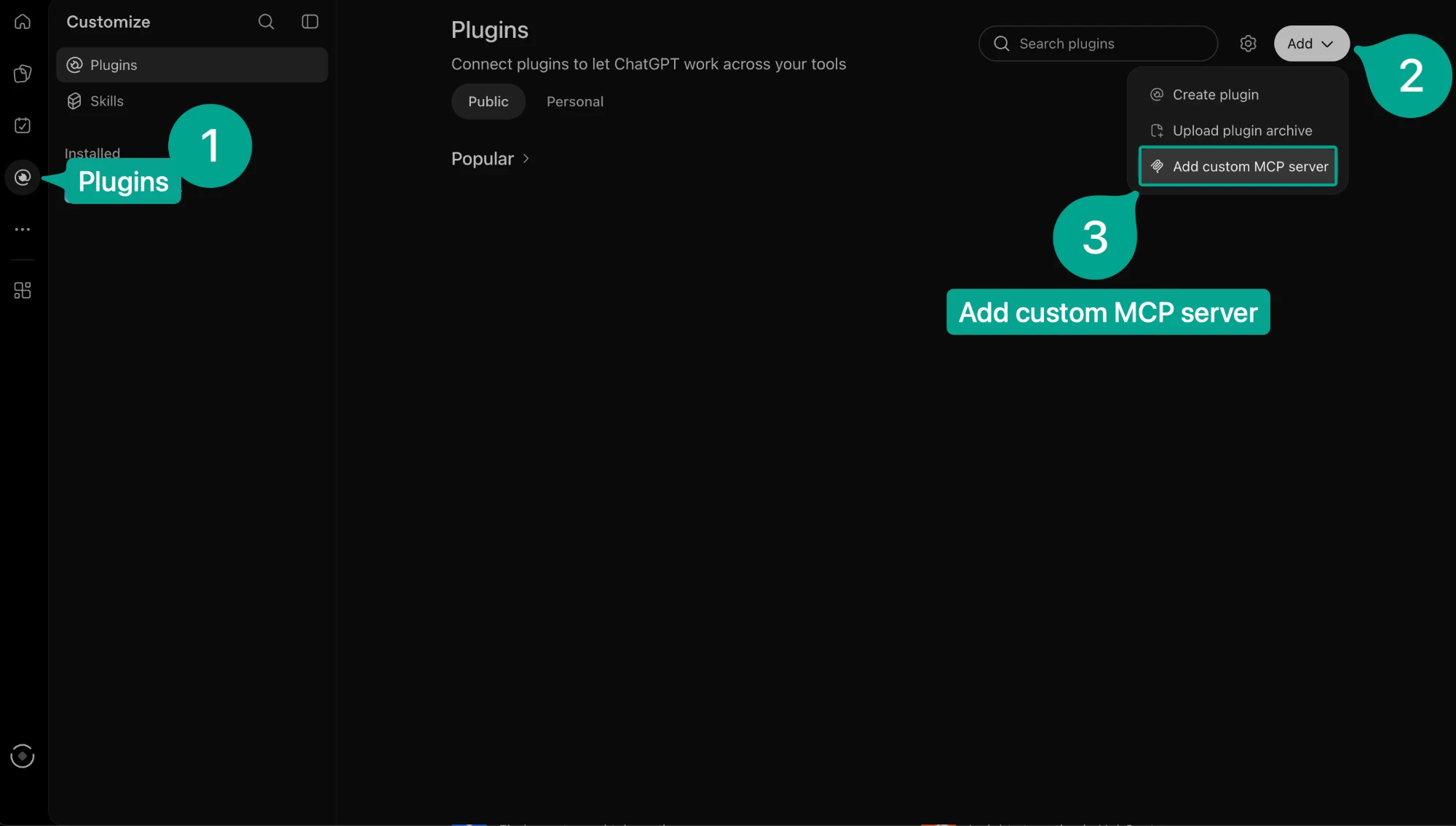
In ChatGPT, open Plugins in the sidebar. Press Add in the top right corner and choose Add custom MCP server.
-
Fill in and create
Enter Trice as the name and paste the server address. Leave the other fields as they are, tick I understand and want to continue and press Create as a plugin.
https://mcp.trice3d.com/mcp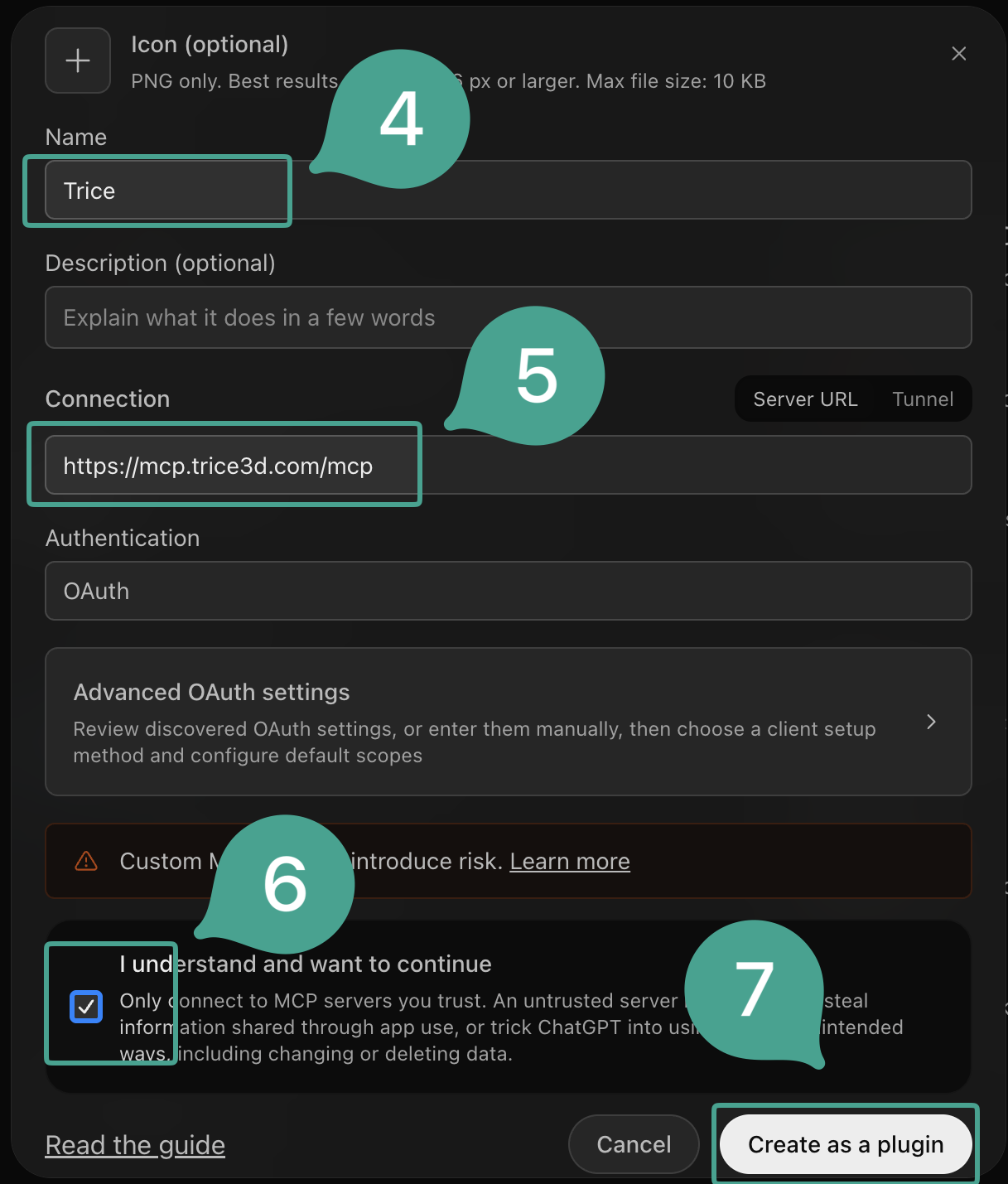
-
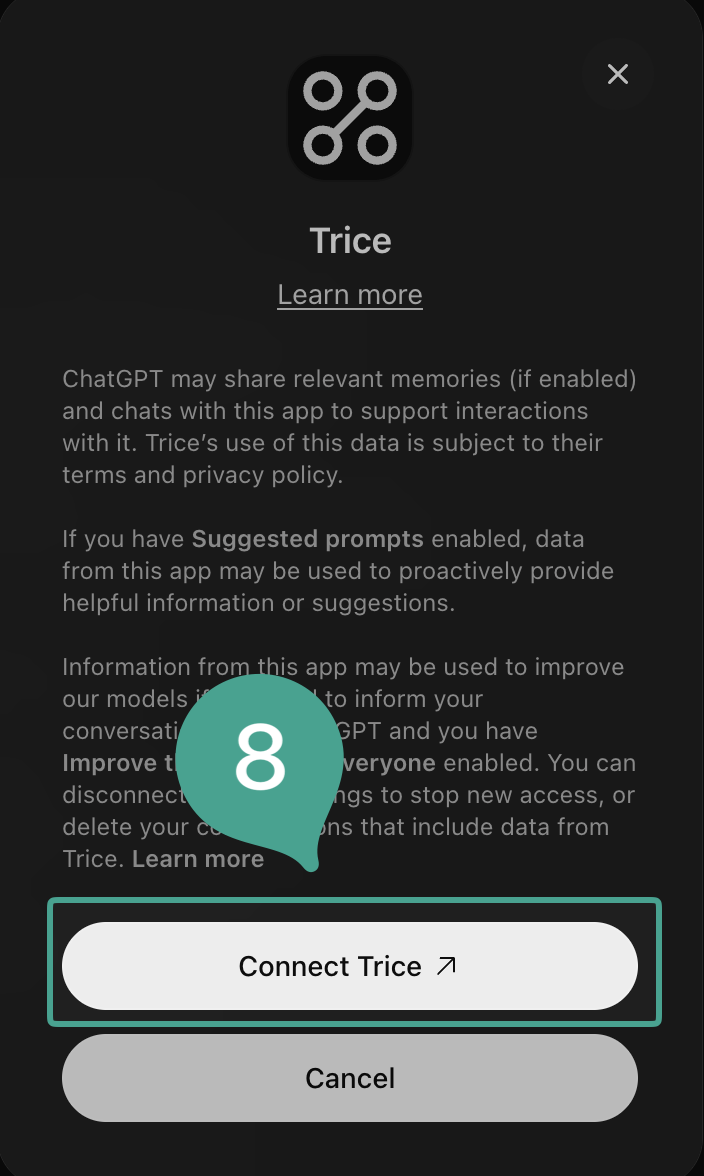
Connect Trice
In the window that opens, press Connect Trice.
-
Allow access
Sign in to Trice if asked, then press Allow.
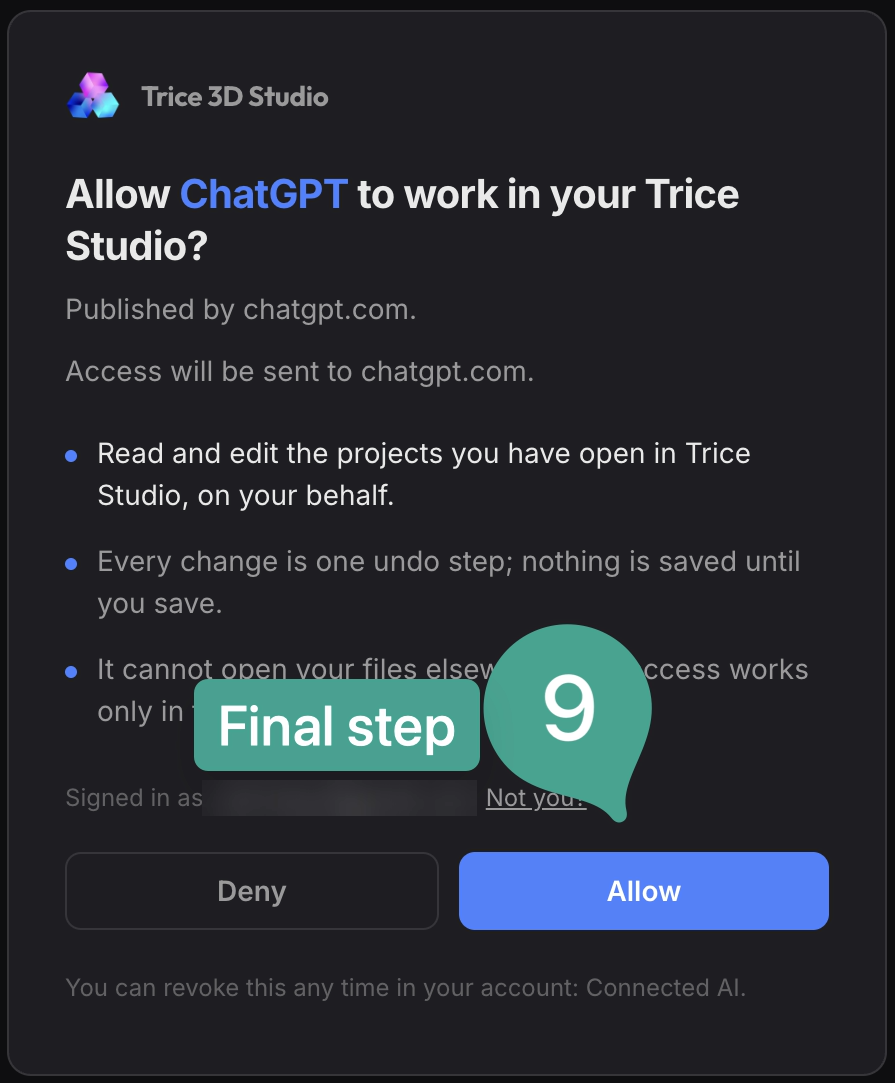
Done. ChatGPT can now work with the Trice projects you have open in your browser.
In any AI app that supports MCP, add a custom MCP server with this address, then sign in to Trice and allow access when asked.
https://mcp.trice3d.com/mcpGetting updates
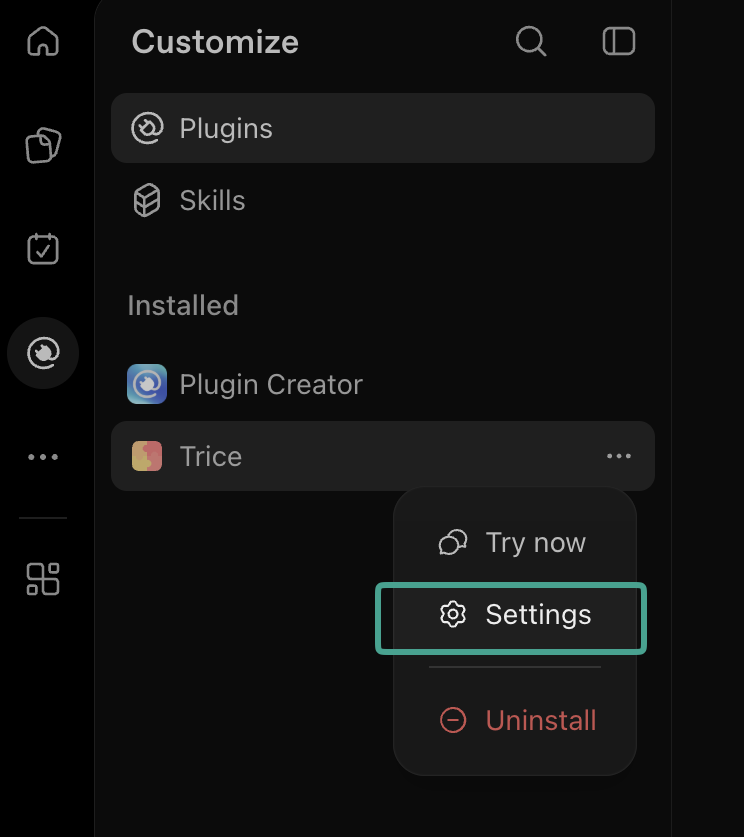
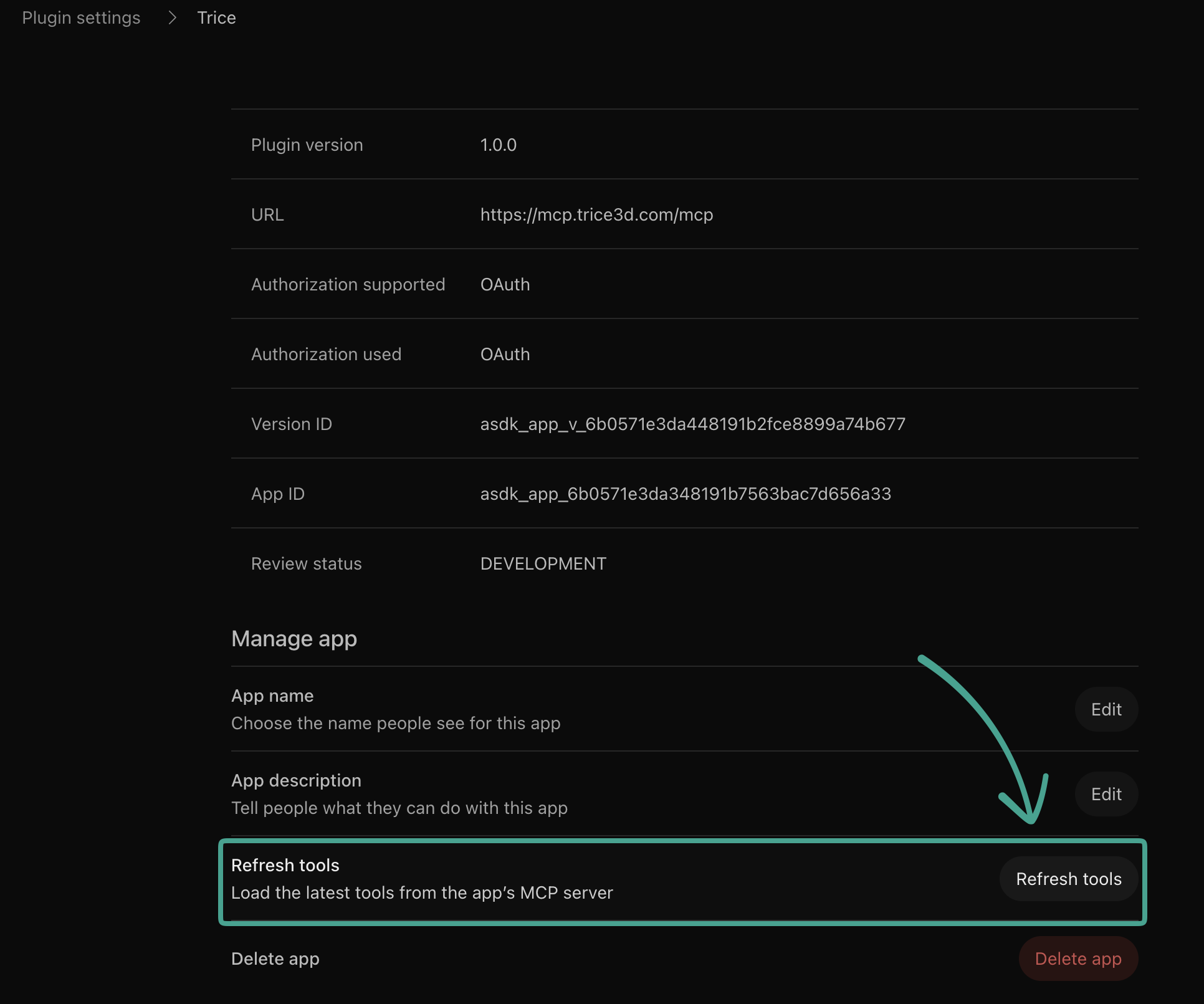
We keep improving and adding the tools your AI can use. Refresh the tools list now and then to get the latest ones.

Frequently asked questions
Anything else? Write to us at hello@trice3d.com.
The Model Context Protocol is an open standard that lets an AI assistant use tools from other apps. Trice offers Studio as an MCP server, so Claude, ChatGPT, Cursor and other clients can read and edit the scene you have open.
No. You describe the interface in plain words ("three fabric swatches on the left, a color picker below, a camera switcher on mobile") and the AI builds a responsive HTML interface for the scene.
Yes. The interface is built in a separate UI mode where you can add your own icons, images and design assets. The AI uses them in the 2D interface it creates.
Connecting AI is available on every account, including Free. You need to sign in with Google, GitHub or email; guest sessions cannot connect AI. Your AI provider may have its own plan requirements for custom connectors.
Yes. The AI works through the Studio tab you have open: the tab executes every change, so you see the scene update live. The tab can be in the background.
Every change is one undo step, and nothing is saved until you press Save. If you do not like what the AI did, undo it or reload without saving.
No, your chat stays with your AI app. Trice only receives the actions the AI takes with our tools, such as "assign this material" or "add a camera", along with what they need, like the text for a button.
Open Dashboard, then Connected AI, and press Revoke next to the client. Its next call is refused and its token stops working.
Any client that supports remote MCP servers with OAuth: Claude.ai, Claude Desktop, Claude Code, OpenAI Codex CLI, Cursor and others. The address is the same for all of them.
Stunning interactive scenes, made in a chat
Interfaces, behavior and animations used to take weeks of work. Now you describe them, and AI builds them in minutes.